
How to Write an Instagram Bio That Actually Wins You Clients

Searches for how to write an Instagram bio have recently skyrocketed and for good reason. Instagram’s search algorithm now index profile text, keywords, and name fields much more like a search engine.
Your Instagram bio is no longer just an aesthetic introduction. It is your digital storefront. When a potential local client lands on your profile, you have about three seconds to convince them to stick around, view your work, or send a message. If your bio is vague or missing a clear next step, you’re losing leads every day. Here's some guidance to turn profile visits into real inquiries, sales and bookings.
Consider Optimizing Your Name Field for Search
However, if you are looking to attract new clients who don't know your business name yet, adding search keywords to this field can be a game-changer.
On Instagram, your @handle and your Name field are the primary elements indexed by Instagram's internal search bar. When local clients search for services near them, including your service and area helps your profile show up in those search results.
How it works:
If appropriate for your brand, combine your business name with your primary service and location.
Standard approach: Apex Fitness
Search-optimized approach: Apex Fitness | Personal Trainer Bedford
Standard approach: The Bakehouse
Search-optimized approach: The Bakehouse | Cake Designer Luton
By adding location-specific terms like videographer in Biggleswade, or Bedfordshire video production it becomes much easier for nearby clients to discover you when searching directly inside the app.
Use the 3-Line Value Formula
You only have 150 characters in your main bio text, so every character matters - especially when people decide so quickly if it's worth contacting or following you. Avoid filler words and vague statements.
The strongest bios follow a simple three-line structure:
- Line 1 (The Hook): Who do you help, and what outcome do you deliver?
- Line 2 (The Proof / Specialty): Where are you based, or what makes you unique?
- Line 3 (The CTA): What exact action should they take next?
The Formula in Action:
I help [Target Client] get [Specific Result] without [Common Frustration].
Generic Examples for Local Businesses:
"Helping Bedfordshire homeowners renovate their kitchens without stress."
"Personal training & custom meal plans for busy professionals in Luton."
"Commercial law advice for local independent business owners."
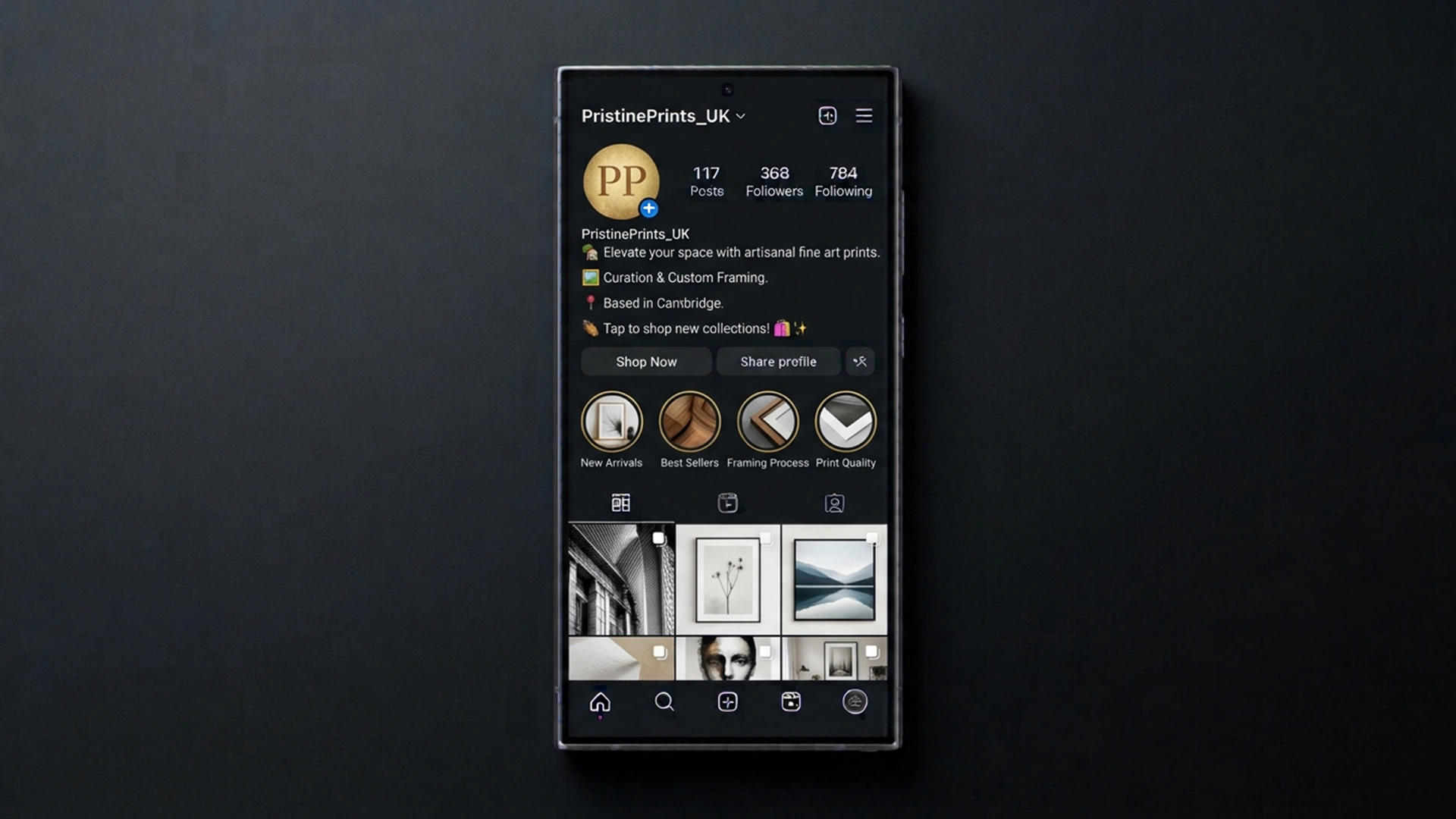
Pick ONE Clear Call to Action (CTA)
Don't ask profile visitors to do four different things. If you ask them to watch a video, visit your website homepage, read a blog post, and send an email, they’ll end up doing none of them.
Focus on one primary action:
For direct inquiries: "DM 'PRICE' for a quick quote"
For booking calls: "Tap below to book a consultation 👇"
For viewing client results: "See recent transformations & case studies below 📲"
Pro Tip: Make sure your bio link goes straight to the exact page that matches your CTA, not a crowded landing page with ten competing options.
Use Emojis as Visual Anchors (Not Clutter)
Large blocks of text are hard to read on mobile screens. Emojis should act as bullet points to guide the reader’s gaze naturally down toward your link or CTA.
Keep it clean by using 2 to 4 functional emojis:
📍 Location: Serving Bedfordshire & surrounding areas
💼 Focus: Bespoke residential & commercial services
📩 Action: Tap below to request rates & availability
Turn Your Highlights Into a Local Service Menu
Your bio text hooks the visitor, but your Story Highlights sit right underneath and prove you can deliver.
Think of your Highlights bar as a mini website navigation menu. Clean up your highlights into 3 to 5 clear categories:
- ⭐ Client Reviews: Screenshots of testimonials, Google reviews, and positive feedback.
- 🛠️ Work / Projects: Examples of completed jobs, transformations, or products.
- ❓ FAQs / Pricing: Clear answers to common questions about how booking with you works.
- 👋 Behind the Scenes: Short clips showing your team, workplace, or day-to-day operations.
Quick Bio Audit Checklist
Before saving your new profile layout, run through this quick checklist:
- Have you decided whether to add search terms to your Name Field?
- Does your bio explain who you help and how you help them in simple terms?
- Do you have exactly one clear CTA?
- Does your bio link load quickly on mobile devices?
What Happens When They Click Through?
Optimizing your bio and profile layout is the first half of the puzzle. it ensures you make a strong first impression. But once a potential client lands on your feed or website, the quality of your visuals speaks louder than words.
If your profile is optimized perfectly, but your feed relies on blurry phone camera clips, dark lighting, or inconsistent visuals, you risk underrepresenting the true value of your brand or business. High-end clients judge your standard of work in seconds.
Instead of constantly stressing over what to post every day, many local businesses build a versatile asset library they can draw from anytime. Read the section of this article "unlocking value with content pools" for your business to see how a single professional shoot can power your social media for months.
Need Help Bringing Your Business to Life?
A great Instagram bio gets people to stop scrolling, but high-impact visual content is what turns profile visitors into paying clients.
If you're a business owner looking for professional videography in Biggleswade or across Bedfordshire to elevate your brand on social media, I work with you directly as your dedicated creative partner.
If you're looking to elevate your visual presence, grow your social following, or drive more sales and bookings with cinematic video, let's chat.
If you'd like to see some of my different work,
Get in touch today to discuss your next video or photo project.